← Back to Best Gaming Accessories Hub
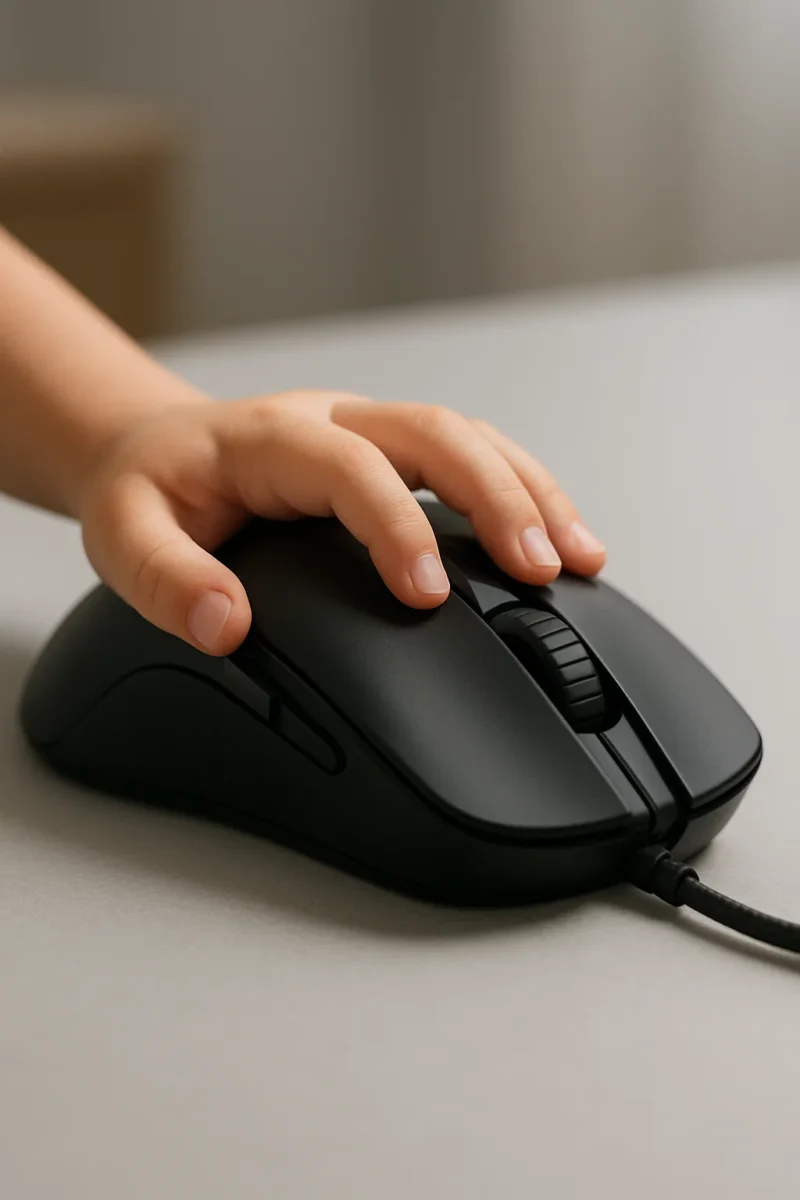
Best Gaming Mouse for Small Hands (2025–2026)
Last updated: December 5, 2025
If you’re trying to find the best gaming mouse for small hands, it can feel like every recommendation is secretly designed for bigger grips. Most “top” lists quietly assume average or large hands, so you end up with shapes that feel bulky, crampy, or force you into a grip that never quite feels right.
This guide cuts straight to the small-hand options that actually work in 2025–2026 — tested shapes, lighter weights, and sensors that can keep up with modern FPS and competitive play. Below you’ll find compact picks for claw and fingertip grips, tiny options for very small hands, and a couple of safe “small-to-medium” mice if you sit on the edge of the sizing chart.
How We Chose These Gaming Mice for Small Hands
- Recent releases and current stock: We focus on mice that are still widely available in 2025–2026 — with a couple of evergreen older picks like the G305 and MM720 that are still easy to find and often discounted, not weird legacy models at inflated prices.
- True small-hand sizing: Most picks land in the roughly 108–120 mm length range with lower humps and narrower grips that actually work for small hands.
- Competitive sensors and wireless: Every mouse here has a current gaming-grade sensor and low-latency performance, so you’re not trading aim quality just to get a smaller shell.
- Different roles, not duplicates: Each recommendation covers a clear job — best overall, esports pick, travel mouse, budget wireless, budget wired, or very-short ergo shape — so you can match the mouse to how you actually play.
- Backed by player feedback: We cross-check specs and sizing with long-term user impressions and community feedback from small-hand players, not just spec sheets.
Quick Picks
Just want the short list? Here are three easy starting points:
- Razer Cobra Pro – Best overall gaming mouse for small hands.
- Pulsar X2V2 Mini – Best small-hand esports pick.
- Razer Orochi V2 – Best portable / travel mouse for small hands.
What Counts as “Small Hands” for a Gaming Mouse?
Most mouse reviews use hand length to decide whether a shape is small-hand friendly. Quick way to check:
- Measure from the tip of your middle finger to the base of your palm.
- If that number is roughly 6.3–7.1 inches (16–18 cm), you’re usually in the “small to small-medium” range.
- If you’re under about 6.3 inches (16 cm), you’re firmly in very small-hand territory and should stick to shorter, lower mice.
The key is simple: your mouse should let you relax your hand in your preferred grip. If you have to stretch your fingers just to click, or your palm is floating off the back edge all the time, the mouse is probably too big.
In this guide, most picks land in the roughly 108–120 mm length range with relatively narrow grips and low to mid height — the sweet spot for small hands using claw or fingertip grips. If you’re not sure which grip style you actually use, check out our gaming mouse grip styles guide for photos and examples.
Best Gaming Mice for Small Hands (2025–2026)
| Mouse | Best For | Size (L × W × H, mm) | Weight | Grip Types |
|---|---|---|---|---|
| Razer Cobra Pro | Best overall for small hands | 119.6 × 62.5 × 38.1 | ≈77 g | Claw, fingertip |
| Pulsar X2V2 Mini | Best esports shape | 115.6 × 60.6 × 36.6 | ≈51–53 g | Claw, fingertip |
| Lamzu Atlantis Mini 4K | Balanced small-hand all-rounder | 117 × 63 × 37 | ≈49–51 g | Claw, fingertip |
| Razer Orochi V2 | Best travel / portable pick | 108 × 60 × 38 | < 60 g shell (before battery) | Claw, fingertip, relaxed palm (very small hands) |
| Logitech G Pro X Superlight 2 | Small-to-medium hands meta pick | 125 × 63.5 × 40 | ≈60 g | Claw, fingertip, relaxed palm |
| Logitech G305 Lightspeed | Best budget small-hand wireless | 116 × 62 × 38 | ≈82–100 g (with battery) | Claw, fingertip |
| Logitech G203 (Wired) | Best ultra-budget wired pick | ≈116 × 62 × 38 | ≈85 g | Claw, fingertip |
| Cooler Master MM720 | Shortest ergo pick | 105 × 71 (grip) × 37 | ≈49–50 g | Claw (right-handed) |
| Razer Cobra HyperSpeed | Mid-range Cobra option | Similar footprint to Cobra Pro | ≈62 g | Claw, fingertip |
Razer Cobra Pro — Best Overall Gaming Mouse for Small Hands
The Razer Cobra Pro is one of the easiest recommendations if you have small hands and want a modern wireless mouse that does everything. It uses Razer’s Focus Pro 30K sensor, low-latency 2.4 GHz wireless, and a compact symmetrical shell that naturally fits claw and fingertip grips without feeling cramped.
At roughly 119.6 × 62.5 × 38.1 mm and about 77 g, it hits that “small but not toy-like” zone that works well for smaller hands, especially if you play fast FPS or arena shooters and want something controllable without being ultra tiny.
Why we like it
- High-end 30K-class sensor and strong wireless performance.
- Compact, safe shape for small hands using claw or fingertip.
- Good stock feet, solid build, and RGB if you care about it.
- Works as a single “do it all” mouse for shooters, MMOs, and everyday use.
Keep in mind
- Still heavier than the ultra-light crowd focused purely on FPS.
- Sits in the premium pricing tier compared with older or budget models.
Check price and availability on Amazon
Pulsar X2V2 Mini — Best Esports Mouse for Small Hands
The Pulsar X2V2 Mini is a staple recommendation for competitive players with smaller hands. It keeps the same proven shape as the original X2, but shrinks the shell to around 115.6 × 60.6 × 36.6 mm and trims the weight down into the low 50 g range.
It uses a PAW3395-class sensor, fast wireless, and can be paired with 4K polling in higher-end variants. The shape itself is easy to adapt to — low hump, modest width, and a safe outline that suits most claw and fingertip styles.
Why we like it
- Competitive sensor and wireless tuned for FPS.
- Small, safe shape that works for a lot of small-hand players.
- Light weight without resorting to extreme cut-out shells.
Keep in mind
- Very minimalist design — no RGB and limited extra buttons.
- Focused almost entirely on shooters; overkill if you mainly play slower games.
Check price and availability on Amazon
Lamzu Atlantis Mini 4K — Balanced Small-Hand All-Rounder
The Lamzu Atlantis Mini 4K is a great “one mouse to do it all” pick if your hands are small but you don’t want something that feels tiny. It checks in around 117 × 63 × 37 mm and roughly 49–51 g, with a comfortable low hump and a slightly flatter top than some older designs.
You get a high-end sensor, 4K polling support, and a shape that feels secure for claw or fingertip, while still being usable as a relaxed palm option for very small hands. It’s an easy recommendation if you want modern specs and a proven small-hand shape.
Why we like it
- Light, comfortable shape that doesn’t feel toy-sized.
- 4K polling support and strong wireless performance.
- Works across a lot of genres, not just pure FPS.
Keep in mind
- Availability and colorways can vary by region.
- Still relatively niche compared to Razer/Logitech if you care about brand ecosystem.
Check price and availability on Amazon
Razer Orochi V2 — Best Portable Mouse for Small Hands
The Razer Orochi V2 is technically marketed as a travel mouse, but its compact shell makes it a fantastic option for small hands too. At roughly 108 × 60 × 38 mm with a shell under 60 g before the battery, it’s genuinely small without being unusable for gaming.
You get Razer’s efficient 18K-class sensor, a dual-mode wireless setup (2.4 GHz or Bluetooth), and a shape that works for fingertip and claw. If your hands are very small, you can even use it with a relaxed palm grip without overreaching.
Why we like it
- Super portable and laptop-friendly.
- Excellent battery life with a simple AA/AAA setup.
- Shape that genuinely suits small and very small hands.
Keep in mind
- Heavier with a full AA battery compared with built-in Li-ion ultra-lights.
- Not quite as “esports-tuned” as some of the pure competitive options above.
Check price and availability on Amazon
Logitech G Pro X Superlight 2 — Meta Pick for Small-to-Medium Hands
The Logitech G Pro X Superlight 2 isn’t tiny, but it’s still a strong pick if your hands are on the smaller side of average and you want the current “meta” mouse. It’s about 125 × 63.5 × 40 mm and roughly 60 g, with a safe, low-hump shape that adapts well to claw and fingertip grips.
Logitech’s HERO 2 sensor, refined clicks, and excellent wireless performance make it one of the most dependable competitive mice available. For truly tiny hands it may still feel a bit long, but for small-to-medium hands it hits a very comfortable middle ground.
Why we like it
- Top-tier sensor and very low latency.
- Safe shape that works for a lot of grips and hand sizes.
- Trusted tournament-ready option you can just plug in and forget about.
Keep in mind
- Pricey compared with most of the list.
- Not ideal if your hand length is far under 6.7 inches (17 cm).
Check price and availability on Amazon
Logitech G305 Lightspeed — Best Budget Wireless Mouse for Small Hands
The Logitech G305 Lightspeed is an older design, but it remains one of the best budget wireless gaming mice for small hands. It’s compact at around 116 × 62 × 38 mm, has Logitech’s HERO sensor, and uses the same low-latency Lightspeed wireless tech as their higher-end models.
The main trade-off is weight. With a AA battery, it sits closer to 82–100 g, which is heavy compared to modern ultra-lights. If you’re coming from a typical office mouse, though, it will still feel like a huge upgrade.
Why we like it
- Great value and often heavily discounted.
- Reliable sensor and wireless with a proven small-hand-friendly shell.
- Easy way to try a compact gaming mouse without spending a lot.
Keep in mind
- Noticeably heavier than newer ultra-light designs.
- No rechargeable battery out of the box and no USB-C charging.
Check price and availability on Amazon
Logitech G203 (Wired) — Best Ultra-Budget Mouse for Small Hands
If you want something cheap that still feels like a real gaming mouse, the Logitech G203 is the wired pick to start with. It shares a similar footprint to the G305 at roughly 116 × 62 × 38 mm, but uses a simple USB cable instead of Lightspeed wireless and usually costs less than most wireless options.
You get an 8,000 DPI gaming sensor, six programmable buttons, and Logitech’s LIGHTSYNC RGB. For small hands using claw or fingertip grip, the shape is easy to control and a big step up over a basic office mouse without blowing your budget.
Why we like it
- Very affordable entry point into small-hand gaming mice.
- Comfortable compact shape that works for claw and fingertip grips.
- Simple wired setup with no batteries, dongles, or charging to worry about.
Keep in mind
- The cable adds a bit of drag compared with modern wireless ultra-lights.
- Heavier than the true ultra-light mice in this list, even if it’s still fine for most players.
Check price and availability on Amazon
Cooler Master MM720 — Shortest Ergo Option for Tiny Hands
The Cooler Master MM720 is a weird but lovable mouse. It’s tiny front to back at roughly 105 mm in length, with a wide grip and a low profile around 37 mm in height. It’s designed as a right-handed claw mouse, with a deep groove for your ring finger.
At around 49–50 g, it’s feather-light, and the short length makes it particularly good if your hands are very small and you like to “pinch” the mouse with your fingertips. It’s more niche than the other picks here, but if you’ve struggled with every other shape feeling too long, this one is worth a serious look.
Why we like it
- Extremely short and light, ideal for tiny hands.
- Unique ergo shape that locks in claw grip.
- Great for players who’ve found every other mouse too long.
Keep in mind
- Right-handed only and very specific in feel.
- Availability can be spotty; if you see it at a normal price and the shape appeals to you, it’s worth grabbing.
Check price and availability on Amazon
Razer Cobra HyperSpeed — Mid-Range Cobra Option for Small Hands
The Razer Cobra HyperSpeed is the more affordable sibling to the Cobra Pro. It keeps almost the same compact footprint, weighs about 62 g, and still includes Razer’s Focus X 26K sensor with low-latency wireless.
If you like the idea of the Cobra Pro’s shape but don’t need all the bells and whistles, the HyperSpeed model is an easy way to get that same small-hand-friendly shell at a more reasonable price and with a lighter feel out of the box.
Why we like it
- Great shape for small hands with a lighter feel than the Pro.
- Accurate 26K-class sensor and fast wireless suitable for ranked play.
- Often cheaper than the full Cobra Pro without losing the core experience.
Keep in mind
- Fewer premium features and customization options than the Cobra Pro.
- Still not “budget” in the way the G305 or G203 are if cost is your main concern.
Check price and availability on Amazon
How to Choose a Gaming Mouse for Small Hands
Once you know your hand size, picking a mouse gets much easier. Here are the big things to focus on if your hands are small.
1. Shape and Length Matter More Than DPI
Most modern gaming mice have excellent sensors. What actually makes a difference for small hands is shape, length, and height. For claw and fingertip grips, look for:
- Length roughly in the 108–120 mm range.
- A lower hump (around 36–40 mm) so you’re not forced into palm grip.
- Relatively narrow grip width, so your fingers aren’t stretching sideways.
DPI numbers are easy to market, but real control comes from how your effective sensitivity feels in-game. If you’re confused about DPI sliders, Windows sensitivity, and in-game settings, our DPI vs sensitivity guide walks through how to dial everything in step by step.
2. Match the Mouse to Your Grip Style
Most small-hand-friendly options favor claw and fingertip grips. If you prefer:
- Claw grip: Look at the Cobra Pro, X2V2 Mini, Atlantis Mini 4K, and G203.
- Fingertip grip: Orochi V2, MM720, G305, and X2V2 Mini are especially good.
- Relaxed palm (very small hands): Orochi V2 and Atlantis Mini can work if you prefer more contact.
For a deeper look at claw, fingertip, and palm — plus examples from controllers — see Gaming Mouse Grip Styles .
3. Weight and Fatigue
With small hands, lighter mice usually feel better, especially for long sessions or low sensitivity. Ultra-lights in the 40–55 g range (X2V2 Mini, Atlantis Mini, MM720) are noticeably easier to move than older 90–100 g designs. Heavier mice like the G305 and G203 can still work fine, but if your wrist gets tired quickly you’ll feel the difference when you switch to something lighter.
4. Polling Rate and Latency
Many of these mice support 1000 Hz polling out of the box, and some offer 2000–4000 Hz with optional dongles. For most players, shape and consistency matter more than chasing the absolute highest polling rate. If your mouse feels sluggish or inconsistent even after you’ve tuned it, our mouse input lag troubleshooting guide covers the usual software and Windows settings that cause problems.
5. Wireless vs. Wired for Small Hands
For small hands, wireless is often the better experience because you don’t have to fight a cable that can tug the mouse around mid-flick. Modern wireless from the big brands is effectively “wired-feeling” in terms of latency. If you’re still deciding between something like the G305/G203 or a more premium wireless pick, check our wired vs wireless gaming mouse breakdown for pros and cons of each.
6. Budget vs. Longevity
If you want the best long-term experience and can spend more, the Cobra Pro, X2V2 Mini, Atlantis Mini 4K, Superlight 2, and Cobra HyperSpeed are safer long-term bets. If you’re on a tight budget, the G305 and G203 are still strong entry points — G305 if you want wireless and G203 if you’re fine with a cable. Just be aware that lower weight and more dialed-in shapes do make a real difference if you later decide to upgrade.
FAQ: Gaming Mice for Small Hands
Is a smaller mouse always better for small hands?
Not always. A mouse that’s too small can feel twitchy or unstable, especially if you’re used to resting part of your palm on the shell. The goal is a shape where you can comfortably reach all the buttons and maintain your preferred grip without stretching or curling your fingers uncomfortably.
What grip style works best if my hands are small?
Most small-hand players end up on claw or fingertip grip because those styles let you control a smaller mouse without needing a big palm contact patch. If you love full palm grip, look for slightly longer small-to-medium mice like the Superlight 2 or Atlantis Mini instead of the very shortest options. You can see photos and examples of each grip in Gaming Mouse Grip Styles .
Do I need 4000 Hz or 8000 Hz polling with a small-hand mouse?
Higher polling can slightly improve input smoothness, but it’s not required to play well. For most people, 1000 Hz is already very good. It’s more important that the mouse feels comfortable and lets you aim consistently than that the spec sheet looks perfect. If the cursor still feels delayed, start with basic fixes from our input lag guide .
Wireless vs. wired — which is better for small hands?
For small hands, wireless is often the better experience because you don’t have to fight a cable that can tug the mouse around. Modern wireless from the big brands is effectively “wired-feeling” in terms of latency. The only reason to choose wired now is budget or personal preference — which is where options like the G203 come in. If you’re still on the fence, our wired vs wireless gaming mouse guide goes deeper into which one makes more sense for your setup.
How do I know if a mouse will fit before I buy?
Compare your hand measurement to the lengths listed above and pay attention to the length and height first. If your hand is roughly 6.3–7.1 inches (16–18 cm), most of the mice on this list should be in the right ballpark. If you’re much smaller, start with the Orochi V2 or MM720. If you’re closer to average but still on the small side, the Cobra Pro, Atlantis Mini, and Superlight 2 are safer bets.
What if my mouse still feels “off” after switching?
If you’ve picked a better shape but your aim still feels inconsistent, it’s usually a settings issue, not the mouse itself. Double-check your DPI, in-game sensitivity, and Windows pointer options, then work through the steps in how to fix mouse input lag to rule out common problems like power-saving modes, bad USB ports, or background software.
Final Thoughts on Small-Hand Gaming Mice
If your hands are on the smaller side, the right mouse makes a bigger difference than another 5,000 DPI on the box. Start with your hand measurement, match it to the length and height ranges above, and then pick the role that fits you best — from ultra-light FPS options like the X2V2 Mini and MM720 to all-rounders like the Cobra Pro or Atlantis Mini, or budget picks like the G305 and G203. Once the shape feels natural and the weight doesn’t fight you, your aim and comfort usually follow.
Browse All Small-Hand-Friendly Gaming Mice on Amazon
Want to compare more shapes, weights, or brands? You can browse a wide range of compact gaming mice here:
Affiliate disclosure: As an Amazon Associate, I earn from qualifying purchases. If you buy through links on this site, we may earn a small commission at no extra cost to you.
Best Gaming Mouse for Small Hands (2025–2026)
← Back to Best Gaming Accessories Hub Image © Free Gaming Lounge — stylized concept illustration, not a specific mouse model Best Gaming Mouse for Small Hands (2025–2026) Last updated: December 5, 2025 If you’re trying to find the best gaming mouse for small hands, it can feel like every recommendation is secretly designed for […]
How to Fix Mouse Input Lag (Polling Rate, Response Time & Jitter Guide)
How to Fix Mouse Input Lag: Polling Rate, Response Time & Jittery Tracking If your mouse suddenly feels sluggish, delayed, or jittery, you’re not imagining it. This guide walks through how to fix mouse input lag step by step: polling rate basics, quick Windows fixes, what a good mousepad actually changes, and when it’s time […]
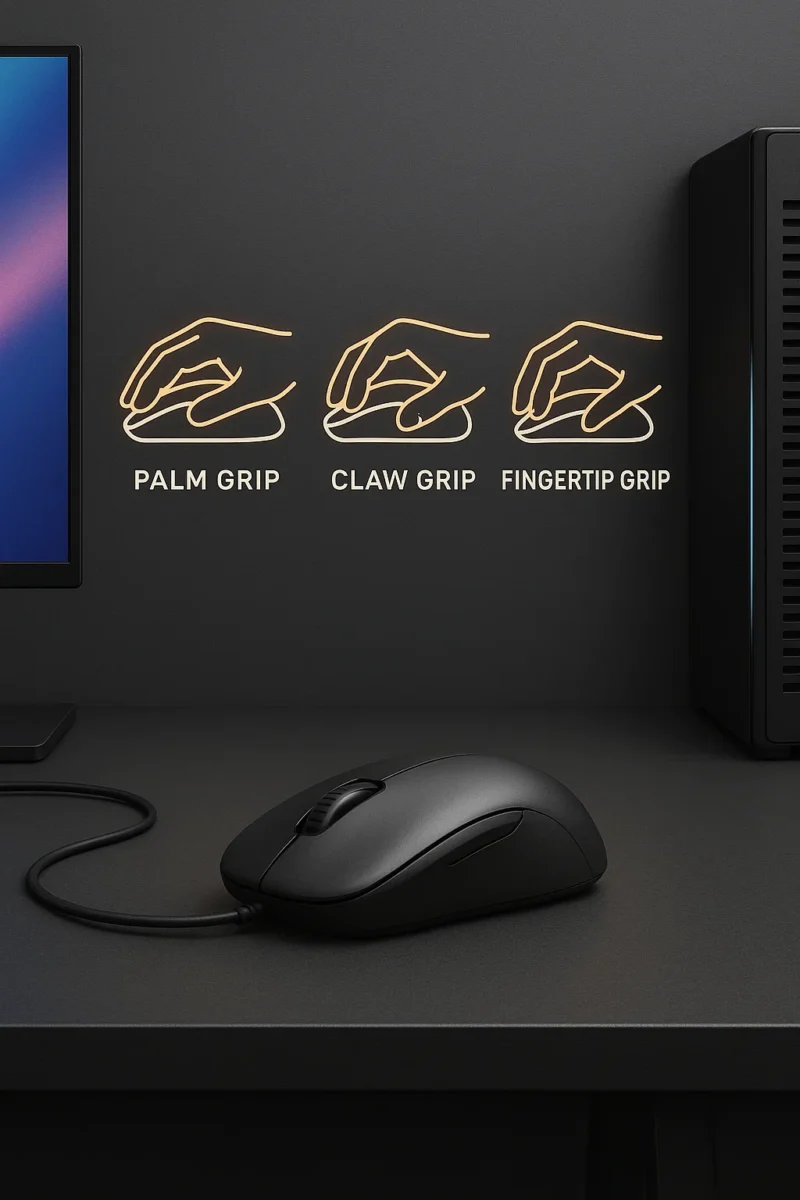
Gaming Mouse Grip Styles Explained (How to Pick the Right Shape & Size)
Gaming Mouse Grip Styles: How to Pick the Right Shape & Size If your mouse feels awkward or inconsistent, it usually isn’t your aim — it’s the shape, grip style, and size. This guide breaks down gaming mouse grip styles (palm, claw, fingertip), how to measure your hand, and how to match shape + size […]
Wired vs Wireless Gaming Mouse in 2025: Which Should You Buy?
Image © Free Gaming Lounge — editorial illustration Wired vs Wireless Gaming Mouse in 2025: Latency, Battery Life, and Which You Should Buy Not sure if you should buy a wired or wireless gaming mouse? This wired vs wireless gaming mouse guide breaks down latency, battery life, weight, and comfort so you can pick the […]
DPI vs Sensitivity for Gaming: Easy Mouse Settings Guide
Image © Free Gaming Lounge — editorial illustration DPI vs Sensitivity for Gaming: Simple Mouse Settings Guide for FPS & Casual Players Confused about DPI vs sensitivity? You’re not alone. Every game, mouse, and streamer seems to use different numbers. This guide keeps it simple: we’ll explain what DPI actually does, how in-game sensitivity works, […]

Best gaming mouse 2025: Top wireless & budget picks
← Back to Gaming Accessories Hub Image © Free Gaming Lounge — used for editorial coverage Best Gaming Mice (2025–2026) Looking for the best gaming mouse 2025 that actually feels right in your hand instead of just flexing DPI numbers? This guide focuses on real-world comfort, shape, and latency — the stuff that actually helps […]